

Have you Played KenKen?
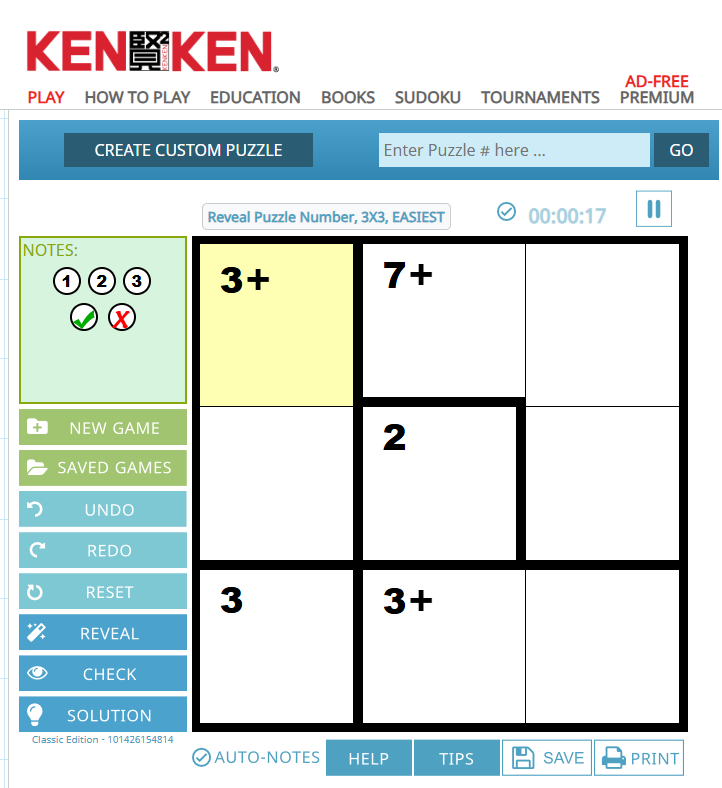
This is a simple sample puzzle from KenKen.com
The first time Richard showed me a KenKen puzzle, I was intrigued. By the time I had played my fourth one, I was hooked.
KenKen is something like Sudoko, and not. It is the perfect game to get youngsters hooked on the joy of meeting a challenge that is just hard enough to require some creative thinking but still well within their ability level.
Even better, as the child, teen, or adult player masters one level, later puzzles can be made harder to ensure the experience remains challenging enough to still be enjoyable.
The basic idea is that the player has to enter numbers in each region that meet three conditions.
First the numbers entered in an outlined region must equal the number displayed in the region, while using the operation beside that number.
Second, and most important, no number can appear more than once in a given row or column.
Finally, in an NxN square, the player has N numbers to play with in any row, column or region.
For instance, in this example of a 3×3 square, the only numbers a player can use are 1, 2, 3 and none of those numbers can appear more than once in any row or column.
See how this puzzle particular puzzle is solved below for a good idea of how this works in practice.
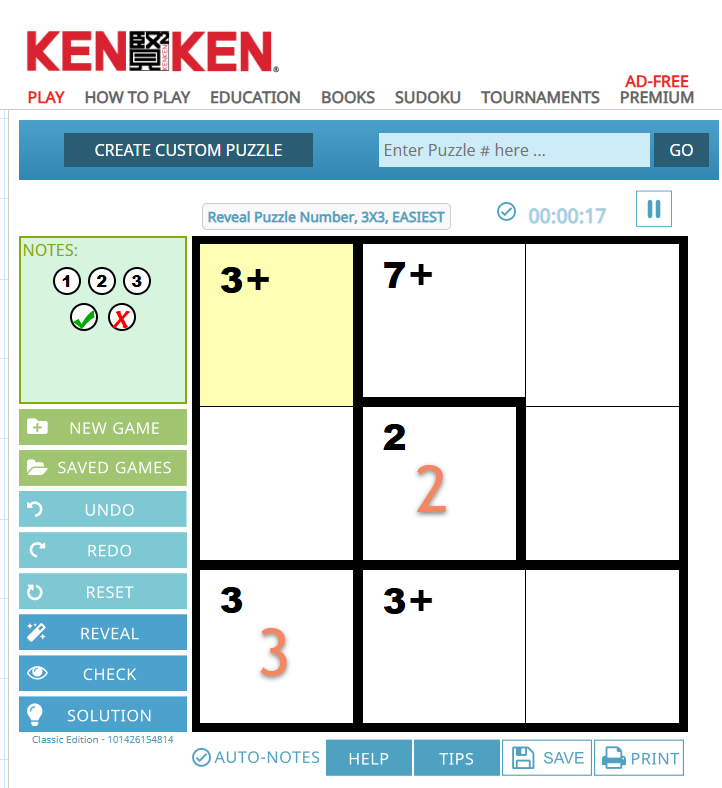
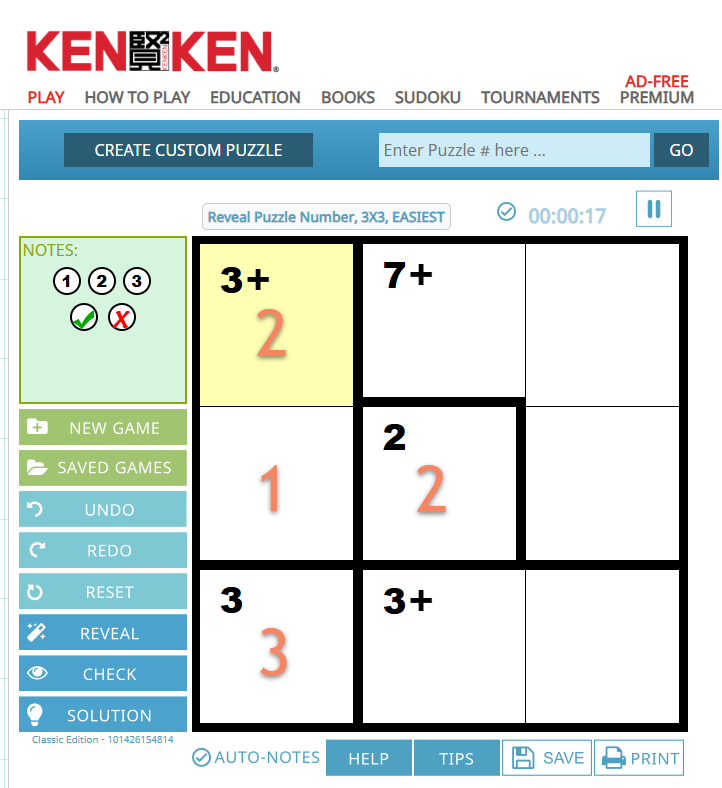
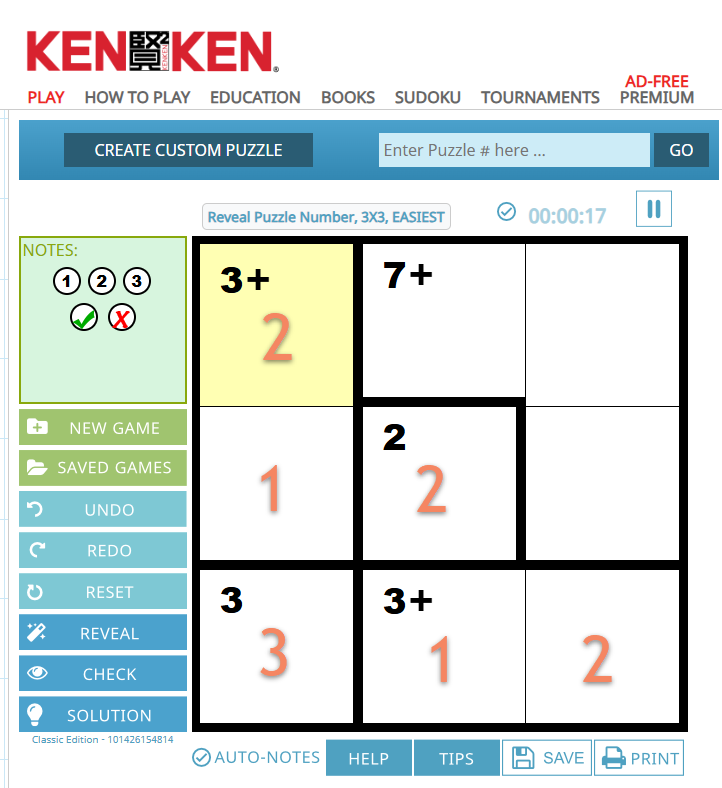
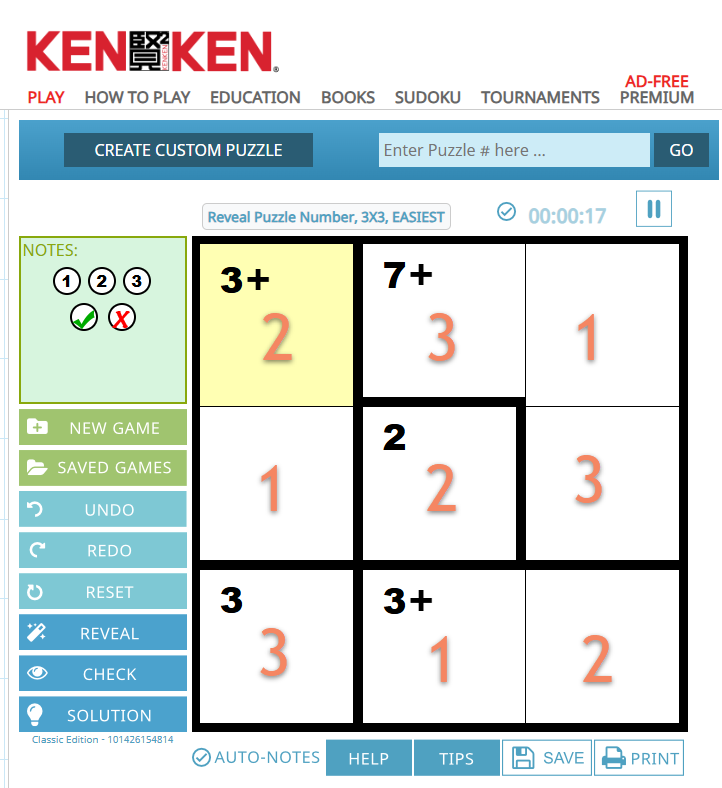
You can have puzzles that are only addition-, subtraction-, multiplication-, or addition-based.
They can be as small as 3×3 and as large and complex as 9×9.
In each case there are easy, medium, hard, and expert ranges to chose from, depending.
You can find these puzzles at the site https://www.kenkenpuzzle.com/
Students can play online. But there are advertisements on the site that may not always be the most appropriate. So, I suggest accessing the site yourself, creating a few puzzles for your students, downloading, and printing the puzzles off for them to play.
Give it a try, and I’m guessing that like me, you and your students will quickly be hooked. Enjoy!
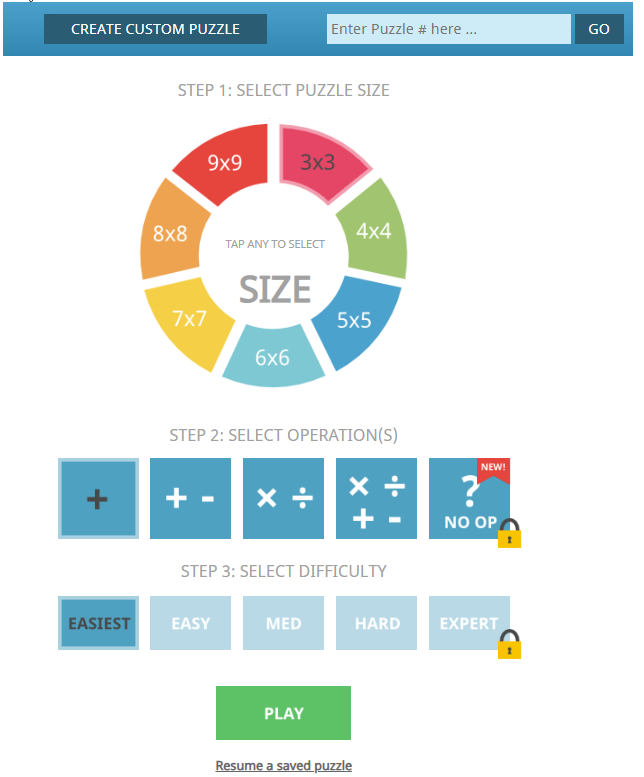
The selection board is used to create level apprpriate puzzles. It is accessed by hitting the “Create Custom Puzzle” button.